
Precise 2D sketching
Draw to size from the start. Say what should stay parallel, equal or the same length and the drawing keeps it that way on its own.
Draw the part, put the assembly together and produce the technical drawing — with nothing to install. When you are done, export it to your 3D printer, your laser cutter or another CAD program.
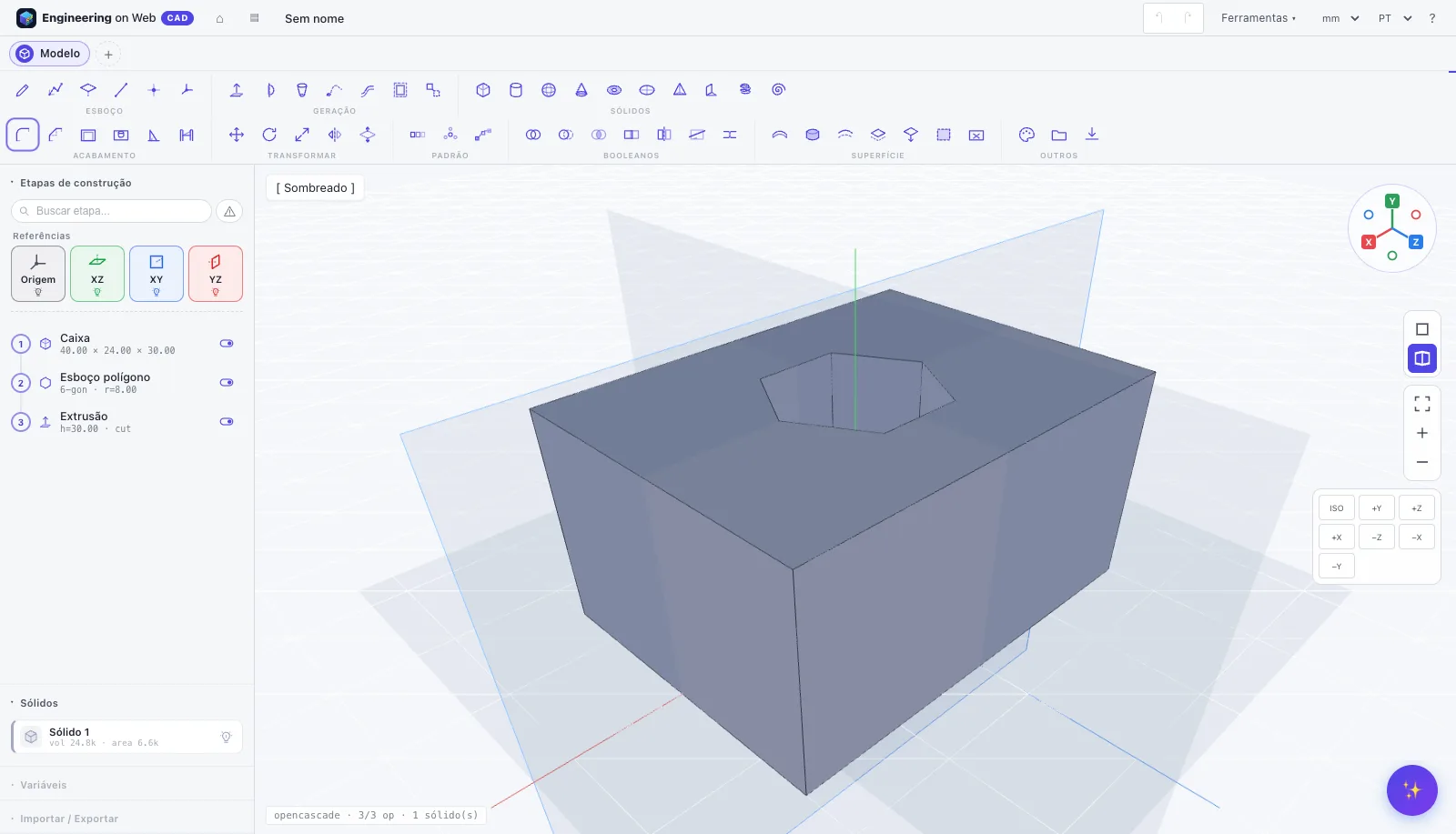
A clear path from the first line to the finished part, without the hard start.
Lines, arcs, circles and curves that snap to the right points on their own. Type the sizes and the drawing follows — change 30 to 45 and everything moves with it.
Pull the sketch up, spin it around an axis or sweep it along a path. Then add holes in standard sizes, rounded corners, thin walls and repeats.
Put the parts together, lay out the views and dimensions of the drawing, and export: STL for the 3D printer, DXF for the laser, STEP or IGES for other programs.
Made for students, makers, woodworkers, designers and anyone who 3D prints.
Draw to size from the start. Say what should stay parallel, equal or the same length and the drawing keeps it that way on its own.
Every step is kept in a list. Go back to any of them, change a size and the whole part is rebuilt — no starting over.
Describe the part by text or voice and the assistant creates the features. Ask about tools without leaving the model.
Fit the parts together, check what clashes or has clearance, open the exploded view, record the assembly animation as video and get the bill of materials ready.
Front, top and side views, sections, zoomed details and dimensions on an A4 or A3 sheet with the title block filled in. Export as PDF (print), SVG or DXF.
Everything is computed on your own computer and projects stay in your browser. Save versions, compare them and download the whole project as one file whenever you want.
Professional organization: toolbar, build-step list, floating cards and keyboard shortcuts.
Volume, area, mass and center of mass per material.
Live cutting plane to inspect the inside.
Detects body clashes before manufacturing.
Move the parts apart step by step and record it as video.
Fields accept =#width*2, units and conditionals.
Parametric variants of the same part in a table.
Named snapshots and visual diff between versions.
Distances, angles, areas and 3D annotations on the model.
PBR materials, zebra, curvature and draft analysis.
Ctrl+K finds any tool, view or operation.
Bring in an existing drawing, or trace over a photo.
Pick the material and see weight, price and carbon footprint.
The assistant understands what you want to build and runs the features for you. Works by text or voice.
Works with 3D printers, laser cutters, CNC and any other CAD program.
Universal engineering format. Open and save 3D models compatible with any CAD program.
Import and exportIdeal for sharing 3D surface models between different design software seamlessly.
Import and exportExport high-resolution models ready for 3D slicers like Cura, PrusaSlicer, and Bambu Studio.
ExportPerfect for 2D laser cutting, acrylic, MDF, sheet metal, and CNC routing projects.
Import and exportSave your models with exact geometric topology and mathematical precision.
Import and exportParts, assemblies, drawings and versions in a single file — to keep, to carry to another computer, or to pick up later.
Import and export
Take your Engineering on Web CAD part into Engineering on Web FEA, our multiphysics simulator in the browser: stresses and strains, heat, fluid flow and electromagnetics, checked against analytical solutions. Export as STL or STEP and simulate.
Everything you need to know to get started.
No. Engineering on Web CAD runs directly in the browser (recent Chrome, Edge, Firefox or Safari). No installer, no account.
By default projects stay in your own browser. You can download the complete project (or STEP and STL) at any time and keep it wherever you like.
The path is direct: a 2D sketch with dimensions, steps kept in a parametric list you can edit at any time, assemblies, technical drawings, variables and variants of the same part.
Yes. The assembly tab joins the parts of the project with joints (rigid, a shaft that turns, a rail that slides and others), shows the exploded view, animates the assembly as video and builds the bill of materials. The drawing tab lays out views, sections, details and dimensions on an A4 or A3 sheet, ready to print or to export as SVG and DXF.
You can type or speak commands (e.g. "create a 50mm box with holes") and AI builds it for you automatically.
Yes! Export STL files for 3D printers and DXF files for laser cutters or CNC machines.
It works on tablets with a current browser, but the full experience is meant for a computer with a mouse. The first time you open it, the geometry engine (about 50 MB) is downloaded and then kept for next time.
Open it and start drawing. It is free, with nothing to install and no account to create.
Start creating now